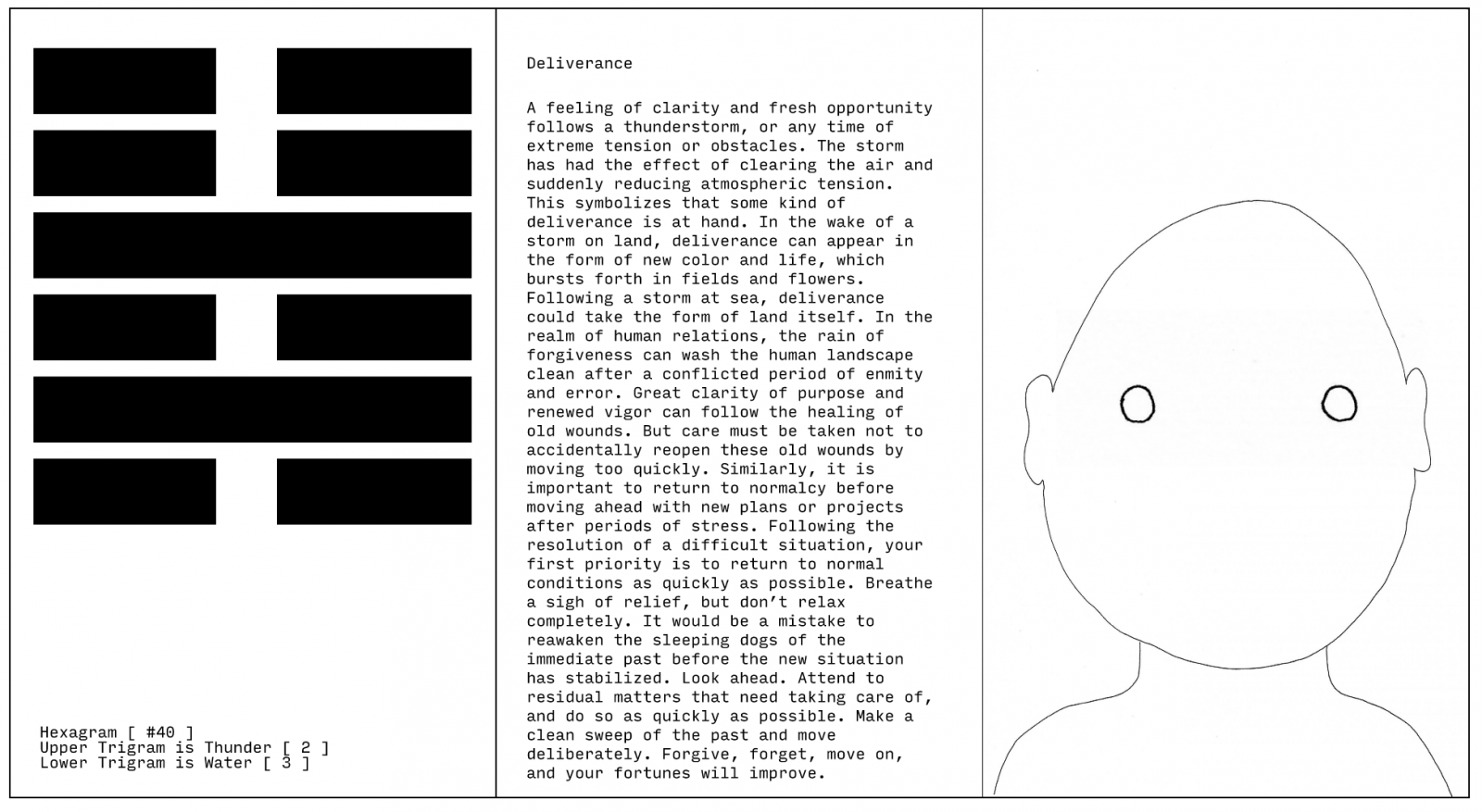
Stochastic Oracle

Created on
Sat, 06/29/2019 - 21:28
Changed on
Fri, 10/11/2019 - 10:09
DOI
10.26017/tda-161
Categories
More about the Work
https://github.com/ndsh/stochastic-oracle
Component Reference
Published
On
Subtitle
Sorting randomness by utilizing a 3000 year old technique
Sticky
Off
Path
stochastic-oracle

A portrait of some-no-one

Text I Ching or Yi Jing Chinese uses a type of divination called cleromancy a form of sortition in which an outcome is established exactly by research or calculation by means that normally would be considered random such as the rolling of dice or tossing

Julian Hespenheide
Submitted by julian-h on Wed, 07/03/2019 - 20:28

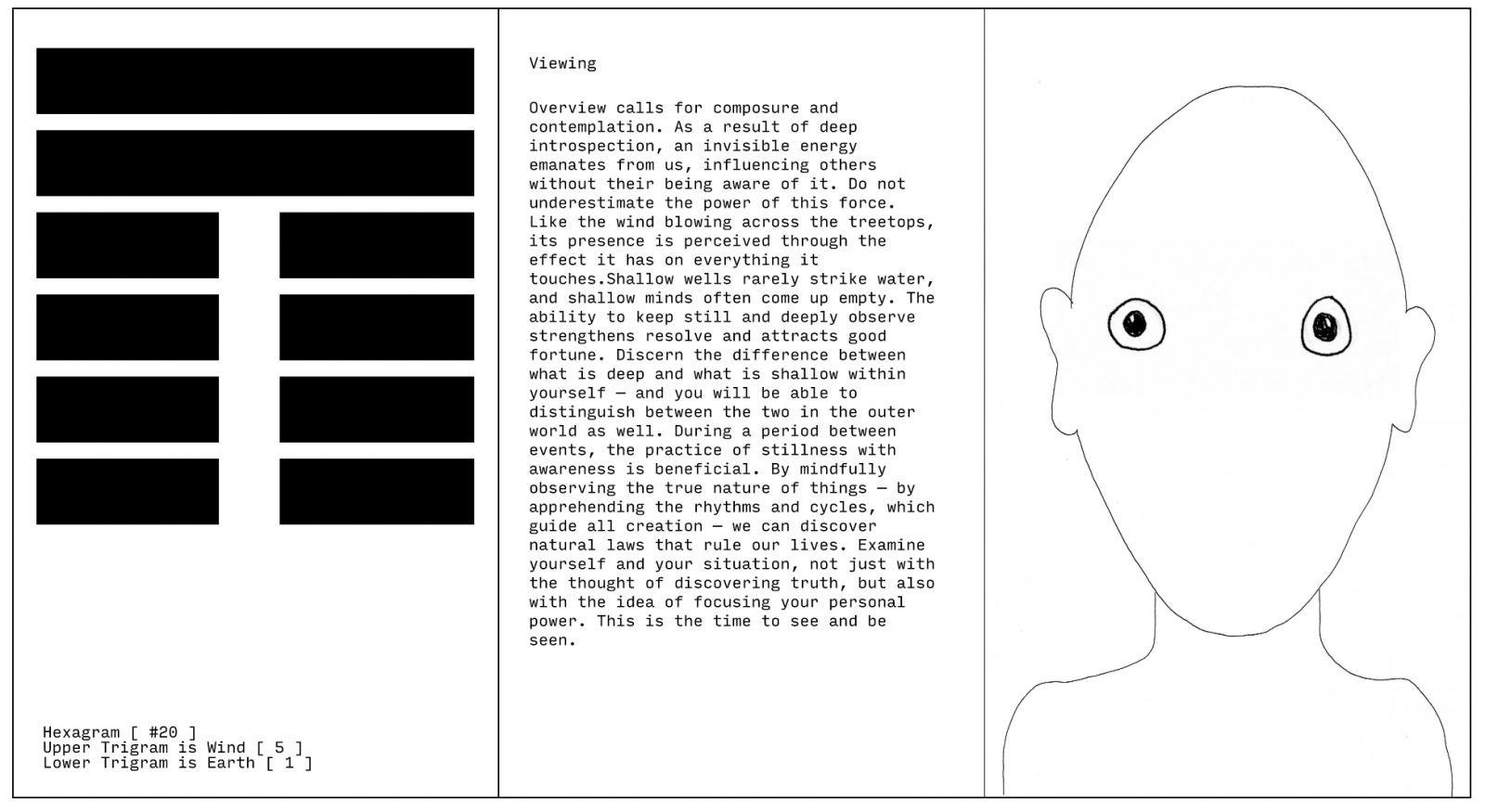
I Ching or Yi Jing (Chinese: 易經) uses a type of divination called cleromancy, a form of sortition in which an outcome is established exactly by research or calculation by means that normally would be considered random, such as the rolling of dice or tossing of coins, but are sometimes believed to reveal the will of God, an oracle or other supernatural entities. A set of six numbers between between 6 and 9 are turned into a hexagram. A hexagram in this context is a figure composed of six stacked horizontal lines. This figure can then be looked up in the book of I Ching to define a meaning.

Double Width
Off
Component

Text HOW TO USE THE ORACLEHave a question in mind such as Where should I eat today during lunchbreak or What is the purpose of mosquitosStart throwing click the numbersA Hexagram will form in front of your very eyes on the screenThe oracle will calculate

Julian Hespenheide
Submitted by julian-h on Wed, 07/03/2019 - 20:39

HOW TO USE THE ORACLE

  • Have a question in mind, such as Where should I eat today during lunchbreak? or What is the purpose of mosquitos?
  • Start throwing (click) the numbers
  • A Hexagram will form in front of your very eyes (on the screen)
  • The oracle will calculate trigrams and the resulting hexagram
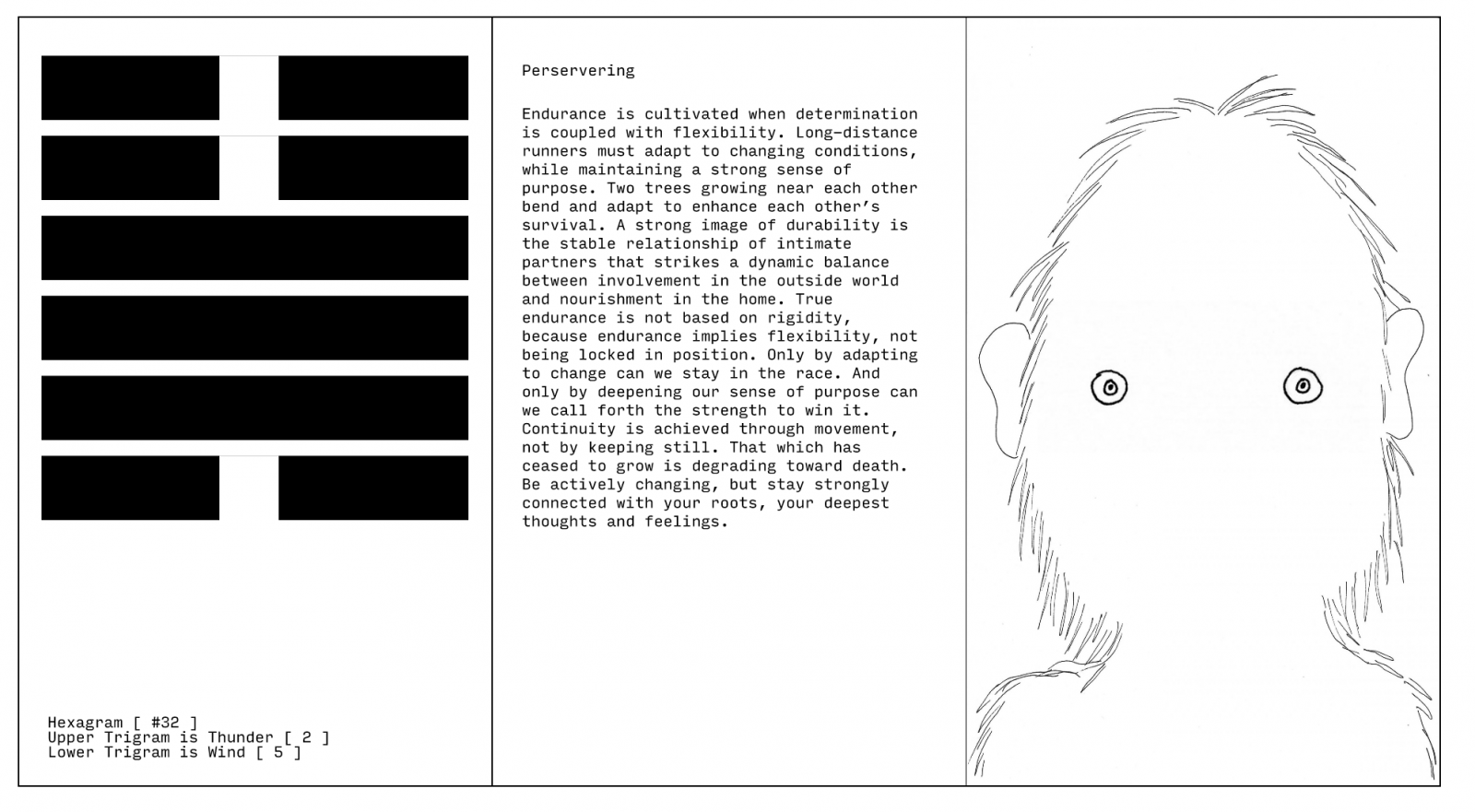
  • Furthermore the oracle calculates a fitting image of Some-no-one concording to the oracle's output
  • This could be Some-no-one you know or don't know yet. Keep your eyes peeled for those eyes when you go outside.
Double Width
On
Component

How does it work?

Text Assets from the component Somenoone have been utilized to serve as a base for generating seemingly random portraits and outcomesAs a matter of fact the only randomness is the throwing the six numbers for the Grams in the beginningThe following snippe

Julian Hespenheide
Submitted by julian-h on Wed, 07/03/2019 - 20:44

Assets from the component "Some-no-one" have been utilized to serve as a base for generating seemingly random portraits and outcomes.

As a matter of fact, the only randomness is the throwing the six numbers for the Grams in the beginning.

The following snippet generates a number ranging from 0 to 10. If the numbers goes over 5, it will turn the Gram into a dark line. If it is below 5, it will become a light line.

CODE

if(mouseClicks == this.id && this.shuffled == false) {
  this.shuffled = true;
  this.random = Math.random(1)*10;
  if(this.random > 5) this.darkLine = true;
 }

Double Width
Off
Component

Text After throwing Grams a very naive recognition algorithm will sort the different combinations into their respective TrigramsThe names of trigrams can be found anywhere on the internet but here they are also in Array formCODElet trigrams Heaven Earth

Julian Hespenheide
Submitted by julian-h on Wed, 07/03/2019 - 20:49

After throwing Grams, a very naive recognition algorithm will sort the different combinations into their respective Trigrams.

The names of trigrams can be found anywhere on the internet, but here they are also in Array form.

CODE

let trigrams = ["Heaven", "Earth", "Thunder", "Water", "Mountain", "Wind", "Flame", "Lake"];


if(  grams[0].darkLine == false  && grams[1].darkLine == false  && grams[2].darkLine == false) upperTri = 0;
else if(grams[0].darkLine == true  && grams[1].darkLine == true  && grams[2].darkLine == true) upperTri = 1;
else if(grams[0].darkLine == true  && grams[1].darkLine == true  && grams[2].darkLine == false) upperTri = 2;
else if(grams[0].darkLine == true  && grams[1].darkLine == false  && grams[2].darkLine == true) upperTri = 3;
else if(grams[0].darkLine == false  && grams[1].darkLine == true  && grams[2].darkLine == true) upperTri = 4;
else if(grams[0].darkLine == false  && grams[1].darkLine == false  && grams[2].darkLine == true) upperTri = 5;
else if(grams[0].darkLine == false  && grams[1].darkLine == true  && grams[2].darkLine == false) upperTri = 6;
else if(grams[0].darkLine == true  && grams[1].darkLine == false  && grams[2].darkLine == false) upperTri = 7;


if(  grams[3].darkLine == false  && grams[4].darkLine == false  && grams[5].darkLine == false) lowerTri = 0;
else if(grams[3].darkLine == true  && grams[4].darkLine == true  && grams[5].darkLine == true) lowerTri = 1;
else if(grams[3].darkLine == true  && grams[4].darkLine == true  && grams[5].darkLine == false) lowerTri = 2;
else if(grams[3].darkLine == true  && grams[4].darkLine == false  && grams[5].darkLine == true) lowerTri = 3;
else if(grams[3].darkLine == false  && grams[4].darkLine == true  && grams[5].darkLine == true) lowerTri = 4;
else if(grams[3].darkLine == false  && grams[4].darkLine == false  && grams[5].darkLine == true) lowerTri = 5;
else if(grams[3].darkLine == false  && grams[4].darkLine == true  && grams[5].darkLine == false) lowerTri = 6;
else if(grams[3].darkLine == true  && grams[4].darkLine == false  && grams[5].darkLine == false) lowerTri = 7;

Double Width
On
Component

Text PICKING A SILHOUETTEThe silhouette as the body is picked in accordance with the lower trigram which is traditionally calculated first when looking up the hexagram from a 8 8 trigram matrixThere are 8 silhouettes as many as there a trigrams The same

Julian Hespenheide
Submitted by julian-h on Wed, 07/03/2019 - 20:52

PICKING A SILHOUETTE

The silhouette as the body is picked in accordance with the lower trigram, which is traditionally calculated first when looking up the hexagram from a 8 × 8 trigram matrix.

There are 8 silhouettes – as many as there a trigrams. The same lower trigram will therefore always result in the same silhouette.

Double Width
Off
Component

Text PICKING EYESSince there are 30 eyes the data base is short by two pairs of eyes otherwise the resulting hexagram nuber could easily divided by two 64 2 32 to match the amount of eyesInstead a modulo operation Euclidean division is now in place and

Julian Hespenheide
Submitted by julian-h on Wed, 07/03/2019 - 20:56

PICKING EYES

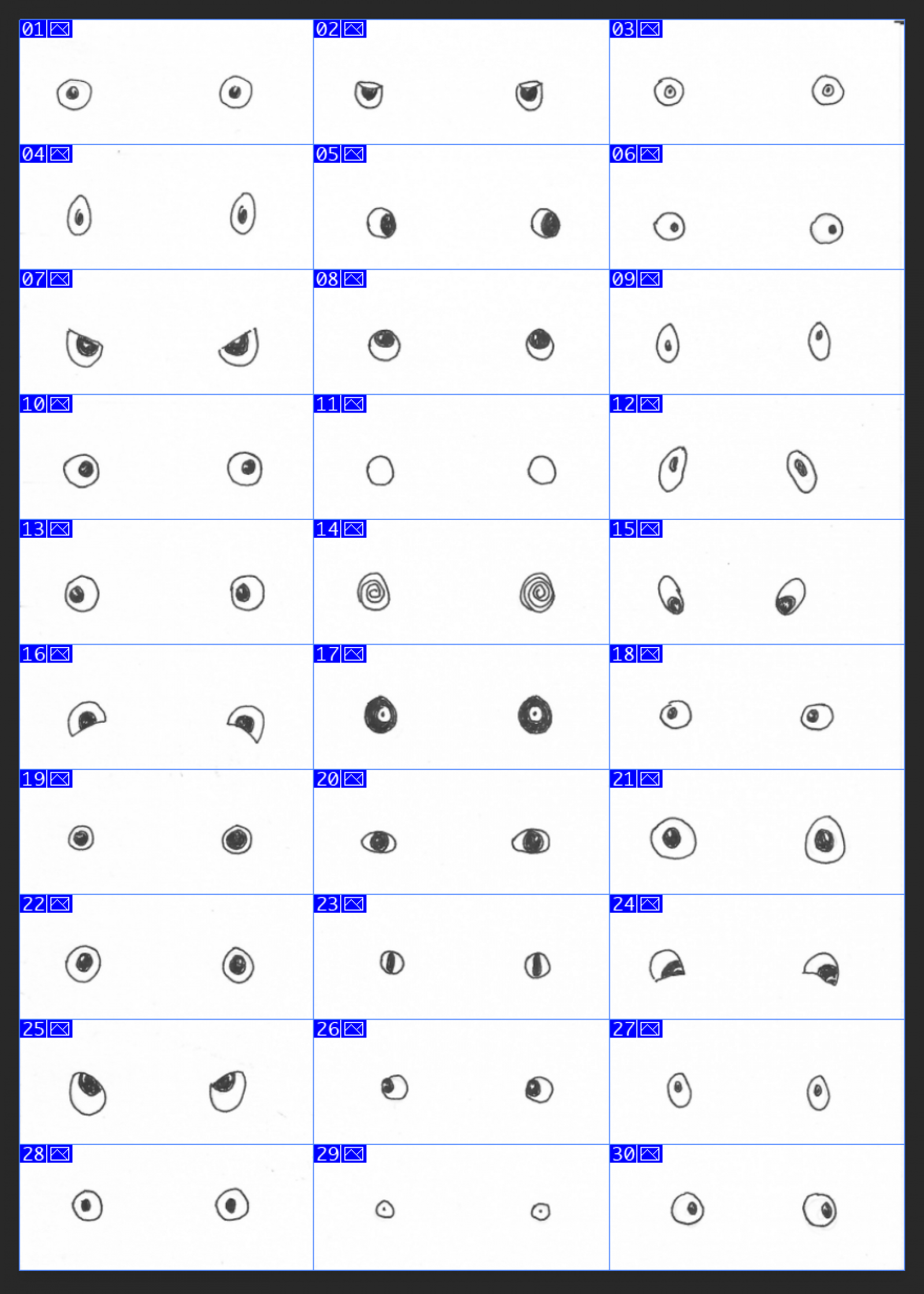
Since there are 30 eyes, the data base is short by two pairs of eyes, otherwise the resulting hexagram nuber could easily divided by two (64 / 2 = 32) to match the amount of eyes.

Instead, a modulo operation (Euclidean division) is now in place and responsible for picking the eyes.

Double Width
Off
Component

Demo

Text BUILD YOUR OWN ORACLERequirementsWeb server Online server or local eg Apache XAMPP or MAMPProgramming knowledge Javascript p5js if youd like to extend or modify the code Graphically programaticallyUse of a graphical environment such as Adobe Photos

Julian Hespenheide
Submitted by julian-h on Thu, 07/04/2019 - 11:02

BUILD YOUR OWN ORACLE

Requirements

  • Web server (Online server or local, eg. Apache, XAMPP or MAMP)
  • Programming knowledge (Javascript / p5js) – if you'd like to extend or modify the code (Graphically, programatically)
  • Use of a graphical environment such as Adobe Photoshop, GIMP, etc. – if you are interested in modifying the assets

Install

Modify

  • Modifications on the HTML file are done inside the file index.htm
  • Modifications on the CSS file, for styling purposes, can be done via the style file in the sub-folder src: style.css
  • The main application can be found in the sub-folder src: sketch.js
  • The sketch.js file can be opened with any text editor
  • Assets (or also called sprites) are found in the sub-folder assets
  • Eyes have a fixed size of 533 × 226 pixels. This is the original size of the sprite, which is futhermore divided by the factor of 2.2 resulting in an image that is consequently 242 × 102 big and placed on the canvas.
  • Replace eyes by swapping out the *.png files with your own ones. New ones, e30.png, e31.png and so, are not registered as of now.
  • Silhouettes can be found in the sub-folder assets/silhouette
Double Width
Off
Component